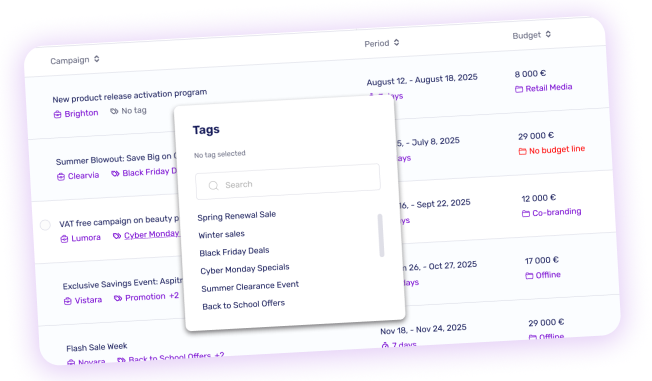
Until now, tags were limited to organizing your media by theme. That changes today, you can now tag your campaigns too. It's a small shift that makes a real difference in how you manage your day-to-day operations.
Create campaign tags that match the way you actually work, by promotion type, seasonal highlight or anything else that makes sense for your business. Each campaign can carry one or more tags, giving you full control over how you structure and navigate your catalog. Since tags are completely hidden from Brand users, you can freely use them for internal purposes (priority levels, margin indicators, negotiation status) without any risk of exposure.
Whether you are setting up a new campaign or browsing your existing list, tags are always within reach. Assign them at creation, or add and update them inline directly from the campaign list, no need to open each campaign individually. Every change is saved instantly.
A new Campaign tags filter is now available in your search criteria. Select one or more tags and your list narrows down immediately. Combined with your existing filters, it's a real time-saver as your campaign volume grows.
Account Admins will find a unified Settings > Tags screen that now brings together both Media and Campaign tags. Create, enable or disable your tags in one place. Your existing tags are automatically preserved as Media tags, no action needed on your end.